Brand Guidelines
This guide defines the visual language, design style, and principles that shape a clear and consistent JFrog brand experience, no matter the team or area of expertise.
At its core, JFrog is about enabling Liquid Software, which flows seamlessly from code to production with speed and security. This guide lays out the essential design standards that bring our brand to life, from our color system and typography to our art direction and logo usage.
Whether you're designing for digital platforms or printed materials, these guidelines ensure every touchpoint reflects the innovation and reliability at the heart of JFrog.
Contents
01 Strategy
JFrog’s core brand strategy aims to reflect our values as a company (as seen in the CODEX), values realized with our products (our Platform), and our personality (our people). Standardizations, guidelines and samples all aim to hone how we appear in the world to our shareholders, our customers, our partners and our employees. We must be consistent, predictable, familiar and value-driven to succeed in this area.
02 Content
Content Conventions
When referring to a JFrog product or solution, default to always using the full, branded name (example: “JFrog Artifactory”). When referring to JFrog as a company, or as part of a branded product, always use a capital “F.”
In written documents, blogs, or press releases
DO
- Use the branded name in the first instance of the document (example: “JFrog Curation”), but it is acceptable to use the abbreviated name thereafter (example: “Curation”) based on context
- Refer to the product in proper noun, title case (example: “JFrog Xray” NOT “JFrog xray” or “Jfrog XRay”)
- Use the full branding when talking about partner or ecosystem integrations (example: JFrog Advanced Security and ServiceNow ITSM” NOT “Advanced Security and ServiceNow”)
- Always use “the JFrog Platform” as a branded term referring to our offering (example: “Log in to the JFrog Platform” NOT “Log in to JFrog Platform”
DO NOT
- Use abbreviated branding in the first instance (example: only “Xray” such as starting a blog with “Welcome to the new features of Xray” without the “JFrog”)
- Use acronyms in official documents (example: “JAS” or “EntX”)
- Forget to capitalize the “F” in JFrog - ever.
Right ✅
Wrong ❌
We are proud to announce the launch of JFrog Curation as part of the JFrog Platform
We are proud to announce Curation as part of JFrog Platform
JFrog Curation expands JFrog Xray capabilities by putting a guardian at the gate. Thanks, JFrog!
JFrog Curation expands XRay capabilities by putting a guardian at the gate. Thanks, Jfrog!
The JFrog Platform and JFrog Advanced Security integrate with GitHub Copilot to provide agentic remediation
JAS integrates with Copilot to provide agentic remediation
New security features are available to Enterprise X subscribers of the JFrog Platform.
New JAS features are available to EntX customers.
In slideware (PPT, GSlides)
DO
- Use the branded name in the first instance of text references (example: “JFrog Curation”), but use the abbreviated name thereafter (example: “Curation”)
- Refer to the product in proper noun, title case (example: “JFrog Xray” NOT “JFrog xray”)
- Use the full branding when talking about partner or ecosystem integrations (example: JFrog Advanced Security and ServiceNow ITSM” NOT “Advanced Security and ServiceNow”)
- Always use “the JFrog Platform” as a branded term referring to our offering (example: “Log in to the JFrog Platform” NOT “Log in to JFrog Platform”
- Use product abbreviations if the logo and JFrog branding are present (example: a JFrog branded slide does not need to say “JFrog” multiple times
- Use templates, standardized fonts and sizes as seen in corp templates (example: do not try to resize on a whim)
DO NOT
- Use abbreviated branding in the first instance (example: only “Xray” such as starting a blog with “Welcome to the new features of Xray” with the “JFrog”)
- Use acronyms (example: “JAS”)
Right ✅
Wrong ❌
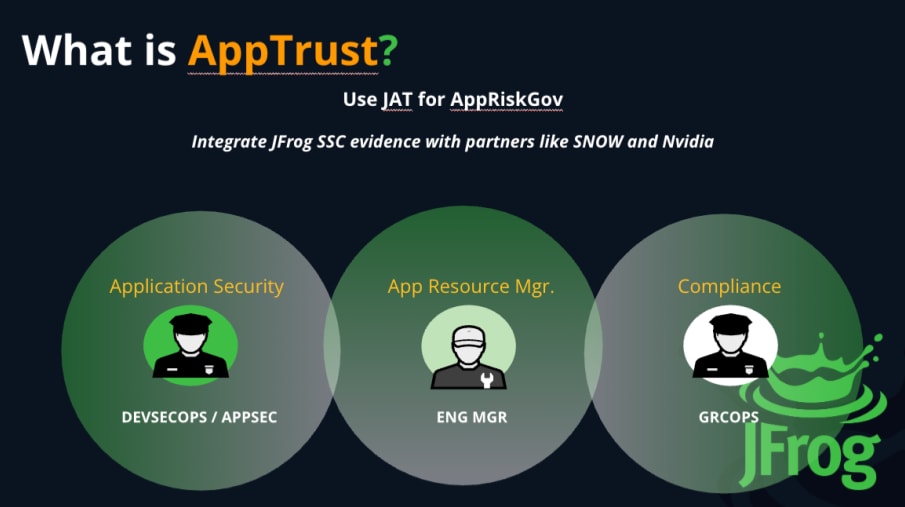
Product, feature, and company names
When describing function or performance, don't form a possessive from a feature name, product name, or trademark, regardless of who owns it. Instead, use the name as a modifier or rewrite to use a word like of to indicate the relationship. To form the possessive of a company name, add 's to the end of the name. Don't form the possessive of a company name when using it as a trademark.
DO
- Always use branded terms, without making them possessive (example: “JFrog Artifactory” vs “JFrog’s Artifactory”
- Always utilize other brands based on their own guidelines (example: “GitHub Copilot” NOT “GH Co-pilot”
DO NOT
- Make a company or brand possessive (example: “Artifactory’s feature allows you to…”
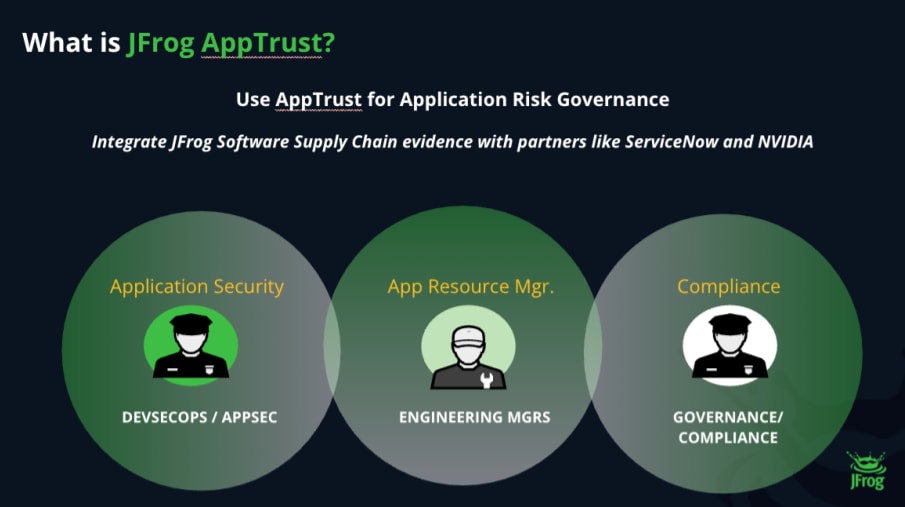
- Hijack other brands or ignore their guidelines (example: “SNOW is integrated with JFrog AppTrust for evidence collection”
Right ✅
The JFrog Platform manages your software supply chain.
Wrong ❌
JFrog’s Platform manages your software supply chain.
Right ✅
Agentic remediation capabilities are now part of the JFrog Platform thanks to a tight integration with GitHub Copilot.
Wrong ❌
Agentic remediation capabilities are now part of JFrog’s platform thanks to a tight integration with GH Copilot.
Capitalization & Grammar
JFrog is standardized in public-facing documents and documentation in American English style for general grammar, spelling, and capitalization conventions. The only exception is when specifically designing materials (communications, collateral, PR, etc.) for the UK or commonwealth countries where British English is standardized, and should therefore should be utilized. Our main event, swampUP, should always be addressed in the lower case first letter and last two capitalized, regardless of its position in a sentence.
(Hint: British English standards should be applied in the following locales, per the above: United Kingdom, Republic of Ireland, Australia/New Zealand, Singapore. When appropriate use localized version of content - translation and phraselogy).
Right ✅
Wrong ❌
US/corporate: Green is our favorite color and we’ve standardized on it for the health center program.
UK: Green is our favourite colour and we’ve standardised on it for the health centre programme.
US/corporate: Green is our favourite colour and we’ve standardised on it here the health centre programme.
UK: Green is our favorite color and we’ve standardized on it for the health center program.
swampUP is a marquee DevOps event. Join us at swampUP!
SwampUp is a marquee DevOps event. Join us at SwampUP!
Casing & Titles
Use title case in H1 and H2 headings, and titles, and sentence case in H3, H4, and H5 headings. For title case, capitalize everything except articles, particles, and conjunctions of four letters or less (e.g. “with” but “Between”).
03 Personality
When you hear or read JFrog’s voice, you should recognize it. Words carry meaning, and consistent words carry confidence.
JFrog's brand personality is confident and professional, yet community-relatable. The tone is expert and authoritative, but not arrogant. It's direct and concise, speaking to a diverse set of audiences from users to executives. It is able to converse on enterprise needs, as well as get in the technical weeds.
Our language is always tailored to appeal to value-based outcomes, while being technically accurate. If our speech isn’t based in reality, uneducated or naive, or is missing tangible outcomes of value, we don’t say it. There's also a subtle, playful element, like the use of the frog mascot, which makes the brand both approachable, ego-less and memorable.
As such, the brand's voice communicates a deep understanding of enterprise software development concerns and security imperatives, while retaining a human element. We always stand behind our commitment to provide a single, unified solution for some of the most complex challenges.
Right Info & Reflection ✅
Unprofessional or Flippant Reflection ❌
JFrog is a trusted partner to secure your software supply chain, eliminating developer’s cognitive load and focusing your team on what really matters to your business.
JFrog is - for sure - the right choice for you, if you’re looking to do better security for developers. No one does it better than us.
Your business is unique, but your problems might not be! Many companies are facing the challenge of alert fatigue and overwhelming volumes of vulnerabilities. We’re here to help you consolidate your systems to provide a context-based remediation path.
We’ve revolutionized everything so you can click a button and forget about security forever! We’re leapfrogging every other mid tool on the market to give you total coverage without you having to do any work.
04 Tone & Voice
Defining “Liquid Software”
"Liquid Software" is our vision of a world where software updates flow continuously and invisibly from the developer’s desk (or AI/agents) to the end-user’s device. Much like water in a pipe, software updates should be in a state of constant motion: always updating, always secure, and always available. This eliminates the "friction" of manual releases, downtime, and outdated versions for everything from simple containers to AI agents. Words that help express this: fluid, flow, continuous, always-on, etc.
Our tonal principles(when we talk, we project):
Expertise
Empowerment
Trustworthiness
Relatability
Expertise
We continuously define and reflect best practices that guide our audiences across rapidly-evolving use cases. We offer insightful, expert guidance, using industry-standard terms that accurately reflect the relevant technology, brand names, and appropriate value. True expertise doesn’t require buzzword soup. We set the technical bar, not wait to see how it’s laid, and we’re confident in it.
Right Info & Reflection ✅
Transitioning to a "shift-left" security model shouldn't break your CI/CD flow. Here is how to simply integrate automated binary scanning directly into your developer's local environment.
Accurate Info, Fluffy Reflection ❌
We leverage synergistic paradigms to disrupt the traditional security perimeter. Our holistic approach revolutionizes your digital transformation philosophy.
Empowerment
Our users get value from our solutions and our relationship with them. We provide clear, usable guidance to help them in reaching their goals, using knowledge and technology they can depend on as a foundation for their success. We provide infrastructure that solves their most painful problems, while allowing them to focus on adding more value. Thus, we’re the wind in their sails, letting them accomplish things they love.
Right Info & Reflection ✅
Stop wrestling with manual metadata tagging and playing the role of SBOM scanning king. Automate your curation process with JFrog so you and your team can spend more time shipping, and less time managing parameters.
Only Tech Info, Wrong Reflection ❌
To use our Platform, you’re required to follow our proprietary metadata schema to ensure Curation functions effectively. Adapt your workflow to our architecture to see positive results.
Trustworthy
We instill confidence through unambiguous and dependable communication across channels. We establish trust by consistently providing precise and accurate information clearly, allowing our audience to rely on us for tailored guidance and support. Trust isn’t built through big promises - it’s earned through clarity and confidence.
Right Reflection ✅
Our latest security research update addresses three critical, specific vulnerabilities discovered in npm (already in your security database) that may affect your pipelines. To ensure you remain compliant and vulnerability-free, please follow the steps below to ensure JFrog Artifactory is utilizing only trusted packages. See deeper technical details on the exploitability of these vulnerabilities here.
Wrong Reflection ❌
We’ve implemented some Platform functions to make sure your stuff stays safe. TLDR; just know that we’re the industry leaders in AppSec, so update accordingly.
Relatable
We are a company built by developers, for modern application development and security teams. We understand our audiences (developers, AppSec, AI, operations and more) from the cubicle to the board room. We can be a bit quirky and playful when appropriate, using our unique JFrog brand. We are human, a little informal when we can be, conversational, and not standoffish. We are not stuff and standoffish. We retain humility in everything we do, but know when to be serious and take accountability for our responsibilities.
Right Info & Reflection ✅
We know that "five-minute" Friday afternoon deploy didn’t go exactly as planned, so we built a way to make rollbacks actually feel like a safety net. Let’s get you home in time for dinner.
Accurate Info, Wrong Reflection ❌
JFrog provides comprehensive automated recovery protocols to mitigate deployment anomalies with enterprise-grade continuity.
05 Sample Copy
About JFrog
JFrog Ltd. (Nasdaq: FROG), the creators of the unified DevOps, DevSecOps and MLOps platform, is on a mission to create a world of software delivered without friction from developer to production. Driven by a “Liquid Software” vision, the JFrog Software Supply Chain Platform is a single system of record that powers organizations to build, manage, and distribute software quickly and securely that is available, traceable, and tamper-proof. Integrated security features also help identify, protect, and remediate against threats and vulnerabilities. JFrog’s hybrid, universal, multi-cloud platform is available as both SaaS services across major cloud service providers and self-hosted. Millions of users and 7K+ customers worldwide, including a majority of the Fortune 100, depend on JFrog solutions to securely embrace digital transformation in the AI era. Learn more at www.jfrog.com or follow us on X @JFrog.
JFrog in 100 words or less
JFrog (Nasdaq: FROG) is on a mission to enable a world of software delivered without friction. As creators of the JFrog Software Supply Chain Platform, JFrog provides a single system of record for DevOps, DevSecOps, & AI/MLOps. Their "Liquid Software" vision allows organizations to build, manage, and distribute software quickly and securely. JFrog’s hybrid and multi-cloud platform ensures applications are trustable and tamper-proof. Millions of users and thousands of customers (including the majority of the Fortune 100), trust JFrog to help fuel digital transformation from code to production in the era of AI.
JFrog in 50 words or less
JFrog (Nasdaq: FROG) powers the world’s software supply chain with a unified platform for DevOps, DevSecOps, and AI/MLOps. Driven by a “Liquid Software” vision, our single system of record ensures secure, frictionless delivery from code to production. Trusted by the Fortune 100, JFrog enables trustable, tamper-proof digital transformation.
JFrog in 25 words or less
The JFrog Software Supply Chain Platform fuels DevOps, DevSecOps, and AI/MLOps, delivering secure, frictionless software delivery from code to production in the AI era.
JFrog headlines and subheadlines, whether in blogs, PR, reports or content…
Do:
- Use only branded names in completion, even if repeating product (example: you may use “JFrog” twice
- Spell out Software Supply Chain
- Use abbreviations for known terms, not products or solutions (example: AI is ok, SSC is not)
- Respect third-party brands (example: “npm” is always lowercase no matter where it’s used)
- Use standard English capitalization rules (example: “security” not “Security” in the middle of a sentence)
- Use standard title casing rules
Do NOT:
- Combine product branding (example: “JFrog Xray and Curation”)
- Abbreviate uncommon or internal phrases (example: SSC or JAS)
- Disrespect partner brands with abbreviations or terminology (example: “JFrog is Nvidia’s partner for NIM stuff”)
Right ✅
Wrong ❌
JFrog Curation and JFrog Xray Reveal New Security Risk
Product teams collaborate on new enterprise vulnerability
JFrog Curation and Xray Reveal New Security Risk
Product teams collaborate on new Enterprise vulnerability
Hot New Blog on Software Supply Chain Security: JFrog Protects AI with Perfection
Hot New Blog: JFrog Protects the SSC Perfectly for AIMLDevSecOps
JFrog Launches Joint Effort with NVIDIA to Secure NVIDIA NIM Models
JFrog Launches Joint Effort with Nvidia to Secure NVIDIA’s NIM Models
Use acceptable, well-understood or industry acronyms:
AI, ML, DevOps, DevSecOps, MLOps, DevGovOps, EveryOps
Shift-Left
[Never “shift left” without a hyphen]
Open Source
[Not “open-source”]
Items never capitalized:
swampUP, npm
Glossary
Term
Category
Brand Definition
JFrog Artifactory
Product
The central hub for all binaries; the industry-standard universal repository manager for software and AI assets. The “single source of truth.”
JFrog Xray
Product
A native software composition analysis (SCA) tool for identifying security vulnerabilities and license compliance issues.
JFrog Advanced Security
Product
High-tier security capabilities (SAST, Secrets Detection, IaC scanning) that work with Xray for a holistic DevSecOps approach.
JFrog Curation
Product
An automated "gatekeeper" that vets and blocks malicious or non-compliant OSS packages before they reach developers.
JFrog Catalog
Product
A research hub providing a comprehensive view of open-source packages, security metadata, and risk insights.
JFrog AppTrust
Product
A DevGovOps solution that automates release governance using cryptographically signed evidence and attestations.
JFrog ML (formerly Qwak)
Product
An end-to-end MLOps platform to build, train, deploy, and monitor machine learning and GenAI models.
JFrog AI Catalog
Product
A specialized hub for governing AI models, exposing "Shadow AI," and ensuring compliance for AI workloads.
JFrog Fly
Product
The industry’s first "Agentic Repository," utilizing AI agents to automate artifact management for modern teams.
JFrog Distribution
Product
A tool for securely delivering "Release Bundles" to production environments or edge nodes globally.
JFrog Connect
Product
An IoT device management platform for updating, monitoring, and troubleshooting remote Linux-based devices.
JFrog Pipelines
Product
A CI/CD automation tool that orchestrates software flow across the JFrog Platform. Deprecated product
JFrog Runtime
Product
Security and compliance solution for monitoring Kubernetes production environments in real-time.
JFrog Mission Control
Product
A centralized dashboard for managing and monitoring multiple JFrog Platform deployments (JPDs). Now part of Artufactory and not sold separately.
JFrog Insight
Product
A DevOps intelligence tool providing analytics on software delivery performance and security trends. Deprecated product
Agentic Remediation
AI / ML
Using AI agents to automatically patch vulnerabilities directly within the developer’s Git or IDE workflow.
Applicability Scanning
Security
A scanner that checks if a vulnerability is actually reachable and exploitable in your specific application context.
AQL (Artifactory Query Language)
Technical
A flexible query language used to search for artifacts based on complex metadata and properties.
Artifact (or “binary” or “software package”)
Core
Any binary file (and its metadata) produced during development, such as a JAR, Docker image, or npm package.
Attestation
Governance
A cryptographically signed record (evidence) proving a process, like a security scan or test, was completed.
Binary-Level Security
Vision
The practice of securing the compiled code (binaries) that actually runs in production, rather than just the source code.
Build Info
Core
Metadata captured during the build process that ensures reproducibility, traceability, and "Bill of Materials" accuracy.
Build Provenance
Security
Verifiable metadata that proves exactly how, when, and where a software build was created.
Checksum
Technical
A unique digital fingerprint (SHA1, SHA256) used to verify that an artifact has not been tampered with.
Cold Artifacts
Core
Artifacts that are inactive and moved to lower-cost storage while remaining searchable and restorable.
Contextual Analysis
Security
Evaluating security threats based on the specific environment, configuration, and usage of the code.
DevGovOps
Vision
A framework integrating Governance and Compliance into the DevOps and SecOps lifecycle.
Evidence
Governance
Signed metadata that serves as a verifiable record of an action taken on an artifact or build.
Exposed Secrets
Security
Credentials, API keys, or passwords accidentally left in code or containers; JFrog scans to detect these.
Federated Repository
Infrastructure
A repository that automatically synchronizes its content and metadata across geographically distributed sites.
Frictionless Delivery
Vision
Delivering software updates without manual intervention, downtime, or security bottlenecks.
Frogbot
Tools
A Git bot that scans pull requests for vulnerabilities and automatically suggests fixes.
HA (High Availability)
Infrastructure
A clustered configuration ensuring the JFrog Platform remains operational during server failures.
IaC Security
Security
Scanning Infrastructure-as-Code files (like Terraform) for misconfigurations that lead to cloud risks.
JPD (JFrog Platform Deployment)
Infrastructure
A specific installation or instance of the JFrog Platform (SaaS or Self-Hosted).
Liquid Software
Vision
JFrog's core vision: software that flows continuously, securely, and invisibly from code to production.
LLMOps
AI / ML
Large Language Model Operations; the approach to developing and operating LLMs at scale.
Local Repository
Core
A physical, internal repository where you store proprietary artifacts.
MCP (Model Context Protocol)
AI / ML
An open standard allowing AI agents to securely connect to data sources and tools like JFrog.
ML Model Registry
AI / ML
A specialized repository type in Artifactory designed for versioning and managing AI/ML models.
MLOps / ModelOps
AI / ML
The practice of bridging the gap between data science and operations to deploy models securely.
P2P Distribution
Infrastructure
Peer-to-peer technology used to speed up downloads of large artifacts across many nodes.
Promotion
DevOps
Moving an artifact through lifecycle stages (e.g., Dev to QA to Prod) by updating its metadata.
Release Bundle
Platform
An immutable, signed package of artifacts and metadata representing a single, trustable version of a release.
Remote Repository
Core
A repository that acts as a caching proxy for external sources (like Maven Central or npm).
Runtime Security
Security
Monitoring for new vulnerabilities in artifacts that are already deployed and running in production.
SAST
Security
Static Application Security Testing; scanning first-party source code for vulnerabilities.
SBOM (Software Bill of Materials)
Security
A machine-readable inventory of every component and dependency within a software application.
SCA (Software Composition Analysis)
Security
Identifying open-source components to find vulnerabilities and license risks (the core of Xray).
Shadow AI
AI / ML
The unmanaged and unapproved use of AI models or APIs within an organization.
Software Supply Chain
Vision
The end-to-end process of creating, managing, securing, and delivering software.
System of Record
Vision
The definitive, central source of truth for all binary versions and metadata in an organization.
System of Trust
Vision
The result of a System of Record combined with integrated security and verifiable evidence. Powered only with JFrog Artifactory as a foundation.
Traceability
Core
The ability to track a production artifact back to its source code and build environment.
Transitive Dependency
Technical
An indirect dependency (a "dependency of a dependency") that JFrog scans for hidden risks.
Unified Platform
Vision
The integration of DevOps, Security, and AI into one single, seamless system.
Universal Repository
Core
A repository manager supporting all major package technologies (Docker, npm, Maven, etc.) in one place.
Virtual Repository
Infrastructure
A single URL that aggregates multiple local and remote repositories for easier developer access.
Zero-Day Vulnerability
Security
A newly discovered security hole with no patch yet; JFrog Research provides immediate mitigation data.
Every user or potential user of JFrog products and properties (including those with visual, motor, or cognitive impairments) should be able to engage with the JFrog brand equally. This also helps provide SEO/AIO-positive results and performance standards for web.
- Color Contrast: All text must meet WCAG 2.1 AA standards.
- Rule: Maintain a minimum contrast ratio of 4.5:1 for normal text and 3:1 for large text (18pt+ or 14pt bold).
- Typography: Prioritize readability over "flair" for this audience’s sake
- Rule: Avoid all-caps for long sentences (it obscures word shapes).
- Alt-Text & Descriptions Rule: Every image in a document or on the web must have descriptive Alt-Text. Example: Instead of "Image1.png," use "Diagram showing the JFrog Software Supply Chain flow from curation to distribution."
- Meaning via Color: Never use color as the only way to convey meaning.
- Rule: If a status is "Failed" (Red) or "Passed" (Green), always include the text label or a unique icon so colorblind users can distinguish the status.
06 Logos
The JFrog logo is a key part of the brand's identity, symbolizing the continuous flow and management of software. The primary lockup features a stylized liquid splash icon paired with the "JFrog" logotype. The liquid splash icon itself is a representation of the brand's focus on "Liquid Software," where updates flow continuously from development to the edge.
The visual design, characterized by clean lines and a friendly, minimalist approach, conveys the agility and adaptability of the platform. The primary brand color is a vibrant green, which is central to the visual identity and reinforces the brand's association with growth and a seamless flow of software.
Primary Lockup
Clearspace

Incorrect Usage


Do not outline the logo


Do not rotate the logo

Do not use two colors


Do not rearrange the logo elements

Do not delete elements

Do not stretch the logo
Co-Branding
Co-branding is essential for campaigns, events, communications, and initiatives led by either JFrog or a partner. Adhering to these guidelines ensures a cohesive and professional presentation of both brands.
Order of Brands: The leading partner brand should always be positioned on the left, with the secondary brand placed on the right.
Visual Separation: The two logos must be separated by a vertical line. Maintain consistent and adequate spacing around this line to prevent crowding.
Visual Size: Both logos must appear to be the same visual size to establish equal partnership weight.
Color Use: Both logos should appear in full color and be placed on a plain white background whenever possible to maximize clarity and contrast.
Co-branded, JFrog-led
When a marketing activity is JFrog-led, teams should adhere to partner-provided co-branding guidance, lockup design and placement, and other partner branding considerations.


PartnerLogo
Co-branded, Partner-led
JFrog and partner(s) have equal investment in and control over content, message, and/or customer experience, and JFrog has provided written agreement to co-brand.
PartnerLogo

JFrog Partner Logo
JFrog partner logo helps customers identify your expertise and relationship with JFrog.
To showcase your relationship with JFrog, you may use the standalone JFrog partner logo to showcase your relationship in your marketing assets.
JFrog partner logo is composed of the JFrog corporate logo and a logotype. The horizontal logo is the primary logo and should be used in most instances.

Partner
Product Logos
Click to download









JFrog Fly
Click to download


07 Icons
JFrog’s icons translate complex software and DevOps concepts into a clear, structured visual language.
Built on a foundation of indigo, navy and green tones, the system reflects infrastructure, platforms, and technical environments. JFrog Green is used sparingly—as a semantic signal for success, security, and activation—preserving its meaning and visual impact.
The result is an iconography that feels engineered, precise, and purpose-driven, rather than decorative.


Diagrams





08 Color
JFrog’s primary color is a distinct shade of green. This green is often associated with growth, balance, and security, which aligns with JFrog's mission of providing a reliable and secure software supply chain.
The palette is often complemented by dark tones, like charcoal or black, which provide a strong contrast and anchor the design, as well as whites and grays that are used for backgrounds and text to ensure legibility across the platform and marketing materials. This combination of a vibrant, distinctive green with a professional, dark palette establishes a brand identity that is both energetic and trustworthy.
Our Color Philosophy
JFrog’s color system is built to support clarity, hierarchy, and meaning in complex technical environments.
Every color has a defined role. No color exists purely for decoration.
The goal is not visual loudness, but controlled emphasis.
JFrog Green
Hex: #40BE46
JFrog Green: Purposeful, Not Pervasive
JFrog Green is the official color of our logo and the most recognizable expression of our brand. It represents:
- Positive outcomes and successful resolution
- Smart solutions and technical confidence
- Momentum and flow, aligned with our “Liquid Software” philosophy
However, JFrog Green is not intended to be the dominant color across all visual assets.
Guiding principle:
Green should signal meaning — not fill space.
Overuse reduces its impact and weakens its role as a signifier of success and clarity.
Green should signal meaning — not fill space.
Overuse reduces its impact and weakens its role as a signifier of success and clarity.
Recommended uses
- Primary calls to action
- Success states, confirmations, and positive indicators
- Key highlights within diagrams or flows
- Small, intentional graphic accents
Avoid
- Large background surfaces in green
- Long text passages in green
- Using green as a default UI or layout color
Blue/1000
Hex: #061121
Dark Foundations: The Technical Canvas
Most JFrog visuals are built on dark or near-dark backgrounds. This is intentional.
Dark foundations represent:
- Infrastructure, code, and runtime environments
- Depth, focus, and reduced visual noise
- A neutral stage that allows highlights to stand out
Against dark backgrounds, green becomes more precise and meaningful—never overwhelming.
950
#0C1D37
900
#113465
800
#184EA0
700
#EEF9FF
600
#1E83F2
500
#34A1FD
400
#5ABFFF
300
#8FD8FF
950
#1B2147
900
#2C345E
800
#3C4891
700
#4457B1
600
#4E67C2
500
#6281CF
400
#809FDA
300
#A9C0E7
950
#2A323C
900
#324152
800
#455D7A
700
#647C9E
600
#708CB2
500
#8EAAC6
400
#A5C0D4
300
#BFD6E2
Supporting Colors: Blue, Indigo & Navy
JFrog’s supporting color palette is built around cool, restrained tones that reinforce structure, depth, and trust—without competing with the brand’s primary green.
These colors are not accents. They are the foundation layer of the visual system.
Why Blue, Indigo, and Navy
Each supporting color serves a distinct but complementary role:
- Blue communicates reliability, clarity, and technical professionalism. It aligns naturally with software ecosystems and helps establish visual order in complex interfaces.
- Indigo introduces depth and sophistication. It bridges logic and creativity, making it ideal for layered layouts, diagrams, and content-rich sections.
- Navy functions as the anchor of the palette. It represents infrastructure, scale, and long-term stability—echoing the environments where JFrog operates: pipelines, platforms, and production systems.
Primary Roles of Supporting Colors
Supporting colors should dominate large visual surfaces and structural elements:
- Section and page backgrounds
- Cards, containers, and layout frameworks
- Secondary UI components
- Data visualization and diagrams
- Supporting typography and system labels
Their purpose is to carry information calmly, so that moments of emphasis (green) feel intentional and meaningful.
Relationship to JFrog Green
Blue, indigo, and navy are deliberately restrained in saturation and temperature. This ensures:
- Green remains visually distinct and high-impact
- Hierarchy is preserved across complex screens
- The system feels stable, not decorative
Gradients
Gradients help us simulate spatial and lighting conditions inside a digital environment. They extend the supporting palette into dimensional space. Their role is to:
- Introduce depth into flat layouts
- Suggest light emerging from technology
- Create a sense of movement and flow
- Reinforce the idea of layered systems and pipelines
- Preserve green as a precise signal.
Blue&Green
Blue
Indigo
Navy
Color Hierarchy
Usage Type
Color Role
Primary backgrounds
Navy / dark neutral
Section structure & depth
Indigo / Blue
Body text
White or light neutral
Key actions & success signals
JFrog Green
Design Principles to Follow
- Use green sparingly and intentionally
- Favor dark and cool tones for large surfaces
- Preserve contrast and readability at all times
- Let color reinforce meaning, not decoration
- When in doubt: remove green first
Remember:
- If everything is highlighted, nothing is.
- If a color does not need to draw attention, it should support one that does.
- Blue, indigo, and navy provide the discipline that makes green powerful.
09 Typography
JFrog's typography ensures our brand communication is clear, professional, and accessible. Our typeface choices are designed to reinforce our commitment to technical precision and a user-friendly experience, balancing clarity with a modern aesthetic.
Aa

Our primary typeface is Open Sans bold. We chose it for its clean, geometric forms and its exceptional legibility across all digital and print platforms. This sans-serif font is ideal for headlines, calls to action, and any element requiring strong visual impact. Its bold weight conveys confidence and authority, aligning with our position as a leader in the DevOps industry.
Our secondary typeface is Inter. As a complementary font, Inter provides excellent legibility for body text, reports, and detailed documentation. Its design is optimized for on-screen reading, making it the perfect choice for our user interfaces, product documentation, and blog content. The clean and neutral nature of this typeface supports the professional and informative tone of our brand voice.
This combination of Open Sans bold for emphasis and Inter for readability creates a dynamic yet professional typographic system. It ensures our message is always clear, scannable, and trustworthy, whether it's in a marketing campaign or within our product itself.
Primary Typeface
Open Sans bold
Secondary Typeface
Open Sans Regular
Sizing
Our typography sizing system is designed for a logical information hierarchy, guiding the reader's eye from the most important headlines to the most detailed body copy. The system is scalable and adaptable, ensuring a consistent user experience across different platforms and devices. The following guidelines on type sizes, leading, and tracking ensure that every message is clear, legible, and maintains the professional integrity of the JFrog brand.
Manage AI and Software Artifacts at Scale
Type Sizes > 48pt/px
125% Leading
-3% Tracking
Ensure developers have uninterrupted access to trusted, governed software artifacts to drive automation globally.
Type Sizes 28–32pt/px
130% Leading
-2% Tracking
Treat models like a package to version, manage and secure AI/ML models in a way that makes sense for stakeholders across your org.
Type Sizes 20-24pt/px
150% Leading
0% Tracking
Discover how Artifactory, the industry-leading solution for universal repository management, seamlessly integrates DevOps work streams to power fast, reliable, and secure software releases for enterprise giants and booming startups alike.
Type Sizes 12–18pt/px
150% Leading
0% Tracking
10 Art Direction
JFrog's art direction utilizes conceptual binary illustrations to reinforce our brand's core values of trust, clarity, and technical precision. This visual style, which combines 3D and 2D elements with glass panels and simplified product UIs, showcases our commitment to a unified and organized software supply chain.
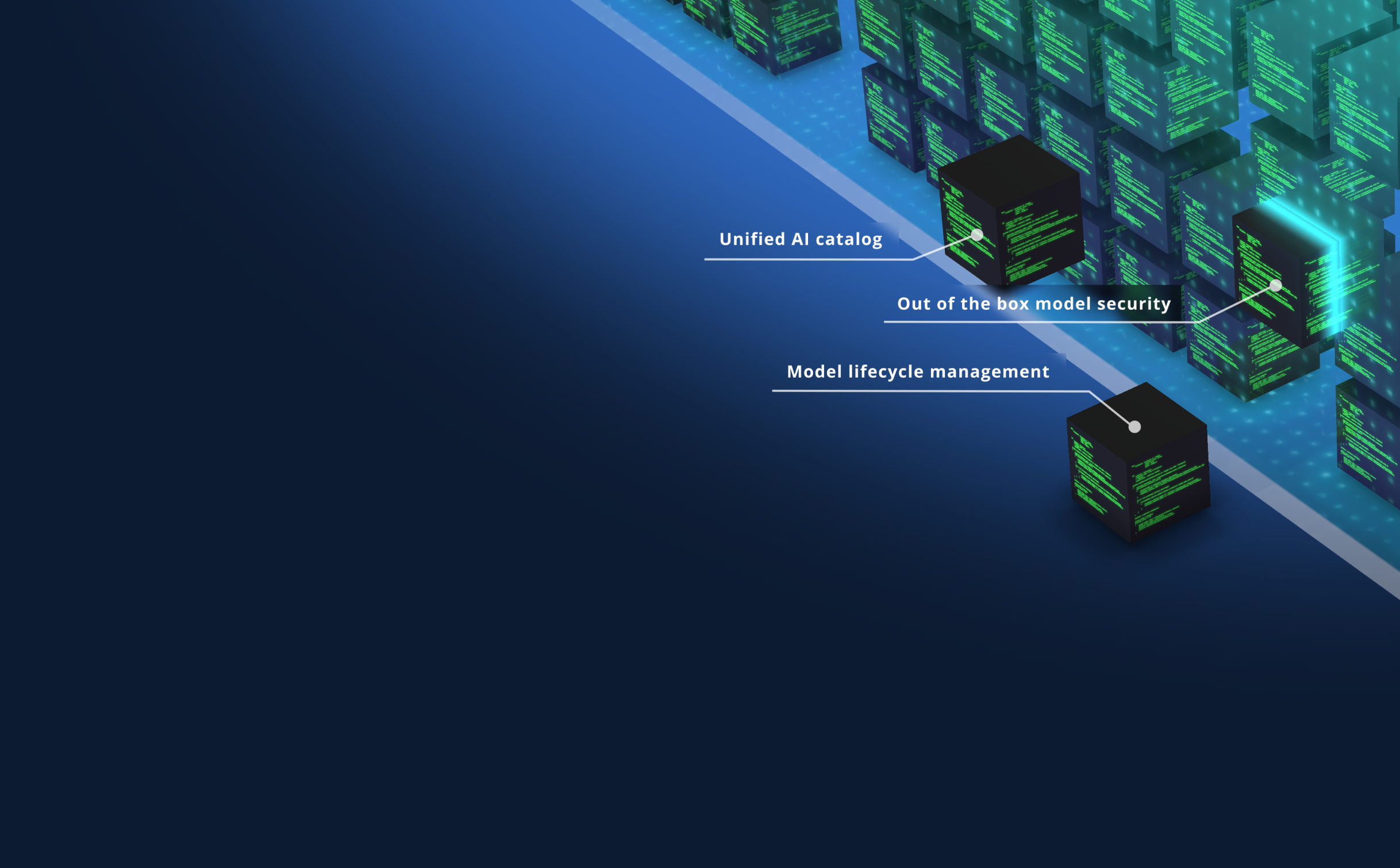
3D Binary Illustrations
Our visuals feature clean, structured, and modern digital environments. This style, which uses a combination of abstract and literal elements, represents the clarity and order our platform brings to complex DevOps processes. The focus is on simplicity and technical precision, avoiding clutter and overly dramatic compositions.
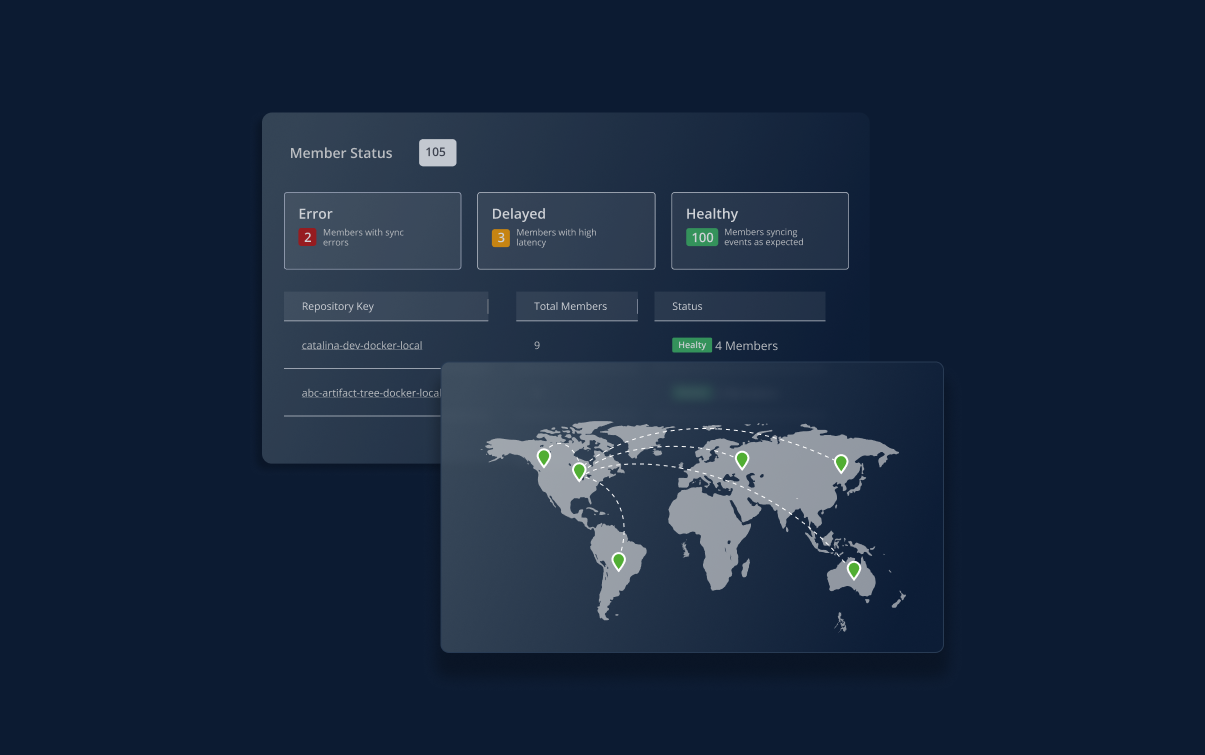
Simplified Product UIs
The illustrations subtly integrate visual elements of our technology in action, such as dashboards and simplified product UIs. This highlights the power of our platform in a clear and effective way, reinforcing our reputation as a trusted, tech-driven brand.
11 AI-Generated Images
AI-generated imagery represents a massive opportunity for marketing teams—offering unlimited creative possibilities, rapid iteration, and cost-effective visual content at scale. However, this powerful tool comes with significant legal landmines that can expose JFrog to copyright infringement claims, licensing disputes, and substantial financial liability. Likewise, our own AI-generated images cannot be protected by trademarks or copyrights.
This guide cuts through the legal complexity to give you practical, actionable strategies for leveraging AI imagery while protecting JFrog from costly legal exposure.
Be aware of the following caveats when generating an image:
NEVER approved
Category
Examples
Notes
Any recognizable person, living or dead (politicians, athletes, entertainers, influencers)
Even "inspired by" or stylized versions create liability.
Celebrity and Public Figure Likenesses
Copyrighted Characters and IP
Disney characters, superheroes, cartoon figures, brand mascots, logos, distinctive designs, movie, TV, or game characters
Distinctive Artistic Styles
Images that clearly mimic famous artists (Picasso, Van Gogh, etc.), recognizable photography styles or techniques, signature visual elements of known creators
Logos and Trademarks
Any image that uses the JFrog logo, or replaces the JFrog logo; any image that uses other companies’ logos or trademarks; Any image that is generated using a customer’s logo, data, likeness, or name
Marketing Campaigns
Public-facing collateral, websites, content, webinars, advertisements, meetup material, surveys, banner ads, etc
Anything with wide public access should not use AI-generated images
Social Media Postings
Linkedin, X, Instagram, Facebook, Bluesky, etc.
Includes your own personal posts when talking about JFrog
Follow all social media posting guidelines
Geographic and Cultural References
Trademarked landmarks without permission, religious or cultural symbols used inappropriately, location-specific imagery that may have usage restrictions
Be careful when using a geographic prompt–ensure resulting image does not violate these guidelines
Approved with limitations:
Category
Examples
Notes
Internal Use
T-shirts, display screens, desktop accessories, office decor
Ok to use for these purposes
Printed SwampUp materials:
Product brochure, flyers, agendas, booth signs
For distribution at SwampUp, printed ONLY. Do not replace JFrog logo
Other Printed Conference Materials
Product brochure, flyers, agendas, booth signs
For distribution at SwampUp, printed ONLY. Do not replace JFrog logo
Brand Requirements
Ensure that your image meets all other JFrog brand/marketing requirements, including use of the JFrog logo, colors, fonts, and messages.
Dangerous Prompting Practices
Avoid These Prompt Types:
- "In the style of [famous artist]"
- "Like [specific movie/show/brand]"
- "Similar to [copyrighted work]"
- References to specific photographers or visual artists
- “Using JFrog logo”
- “Using [customer’s platform or product]”
Bottom Line
When in doubt, don't generate it. The cost of recreating compliant imagery is always less than defending an infringement lawsuit. Focus on original concepts, generic subjects, and clearly permissible use cases while building robust review processes for everything else. Reach out to privacy@jfrog.com if you have any questions on how to generate art.